

If Part 1 gave you the story, this is where you start seeing the system.
Because Wi-Fi isn’t a miracle.
It just feels like it.
The moment you tap “connect,” stream a video, or load a page, something very real is happening , signals are moving through the air, devices are negotiating, and data is being carefully transmitted in a shared space.
And once you understand that process, Wi-Fi stops being guesswork.
Wi-Fi Is Built on Radio Waves
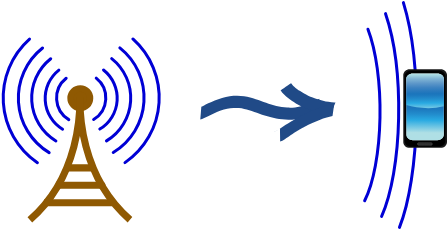
At its core, Wi-Fi is a form of wireless communication that uses radio waves part of the electromagnetic spectrum.
Instead of sending data through cables, devices convert information into signals that travel through the air at specific frequencies.
These frequencies are measured in gigahertz (GHz), and modern Wi-Fi mainly operates in:
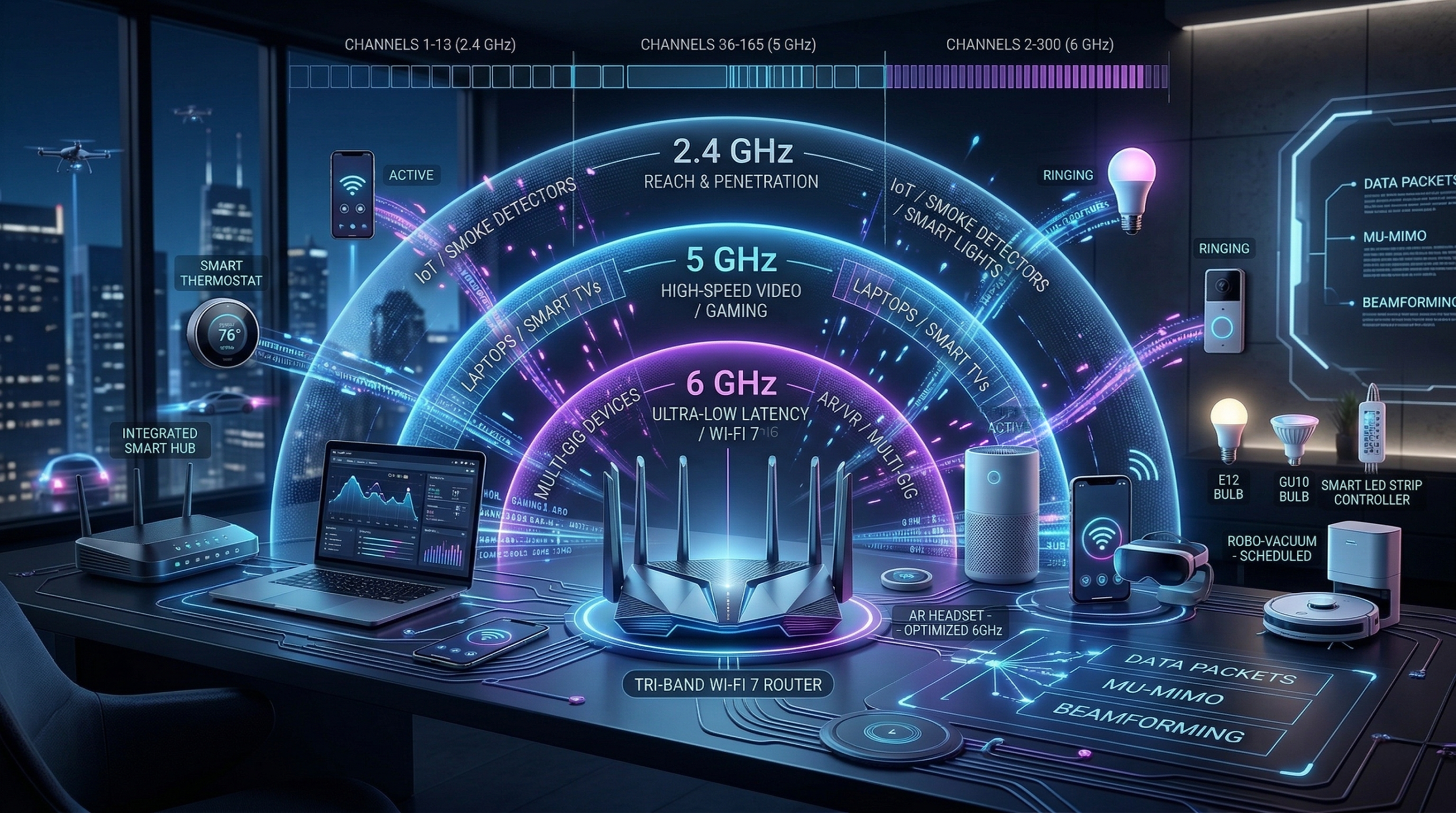
- 2.4 GHz
- 5 GHz
- 6 GHz (newer, used in Wi-Fi 6E and beyond)
Each band behaves differently:
- 2.4 GHz → Travels farther, penetrates walls better, but is crowded
- 5 GHz → Faster speeds, less interference, shorter range
- 6 GHz → Cleaner spectrum, higher performance, but even shorter range
This is not random.
It’s physics.
Note:Higher frequencies carry more data, but they don’t travel as far or as well through obstacles.
Signals Carry Data Not Files!!!
Here’s something most people don’t think about.
Your device is not sending “messages” or “files” through the air.
It’s sending modulated signals.
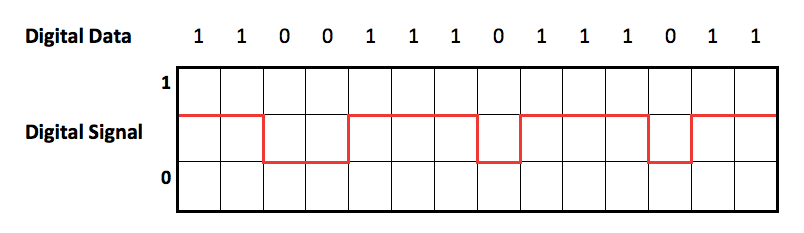
Data (1s and 0s) is encoded into radio waves using techniques like phase and amplitude changes. These signals are then transmitted, received, and decoded on the other side.
So when you send a message:
- Your phone converts it into binary
- That binary is encoded into a radio signal
- The signal travels through the air
- The receiver decodes it back into usable data
All of this happens in milliseconds.
Channels: The Invisible Lanes of Communication
Within each frequency band, Wi-Fi is divided into channels.
Think of channels like lanes on a highway.
Multiple devices can use the same frequency band, but they need different channels to avoid stepping on each other.
For example:
- The 2.4 GHz band has limited non-overlapping channels → more congestion
- The 5 GHz band has more channels → better distribution
- The 6 GHz band offers even more space → less interference
When too many devices use the same or overlapping channels, you get:
- Slower speeds
- Packet collisions
- Increased latency
That “full bars but slow internet” feeling?
Most times, it’s a channel problem.
Wi-Fi Is a Shared Medium
Here’s a key concept:
Wi-Fi is not like a wired connection where each device has a dedicated path.
Wi-Fi is a shared medium.
Only one device can effectively transmit on a channel at a time. So devices take turns using a method defined in the IEEE 802.11 standard called Carrier Sense Multiple Access with Collision Avoidance (CSMA/CA).
In simple terms:
- Devices “listen” before they talk
- If the channel is busy, they wait
- If it’s free, they transmit
It’s organized chaos.
And as more devices join the network, that coordination becomes more complex which is why performance drops in crowded environments.
Got that?
Access Points and Clients: The Core Relationship
Every Wi-Fi network is built around two main components:
- Access Point (AP) → Usually your router
- Client Devices → Phones, laptops, IoT devices
The communication process looks simple, but it’s structured:
- Your device scans for available networks (SSIDs)
- You selects one
- You authenticates (password/security protocol)
- It associates with the access point
- Data exchange begins
Behind the scenes, this involves multiple frames and protocol exchanges defined in the 802.11 standard.
But from your perspective?
You just see “Connected.”
How Data Moves Through the Air
When you open a website:
- Your device sends a request as a radio signal
- The access point receives it
- The access point forwards it to the internet (via a wired connection)
- The response comes back
- It is transmitted wirelessly back to your device
So Wi-Fi is really a bridge between your device and the wired internet.
Why Wi-Fi Feels Unpredictable
Now everything starts to make sense.
Wi-Fi performance is affected by:
- Interference → Other Wi-Fi networks, Bluetooth devices, microwaves
- Obstacles → Walls, metal, concrete
- Distance → Signal weakens over space
- Network congestion → Too many devices sharing the same channel
So when your Wi-Fi slows down, it’s not random.
It’s the environment reacting.
The Shift in Perspective
At this point, Wi-Fi should feel less like magic and more like a system.
A system built on:
- Radio frequency behavior
- Shared communication rules
- Careful coordination between devices
And once you understand that system, you stop guessing.
You start diagnosing.
In the third part , we are going to get more technical , where we speak about wifi security , and thats where things gets exploitable!