

This is Part 1 of a series of blogs focused on automating red team infrastructure.
Automating red team infrastructure is not new, and nothing demonstrated in this blog is intended to be novel. However, for practitioners starting out (or teams looking to formalize and standardize their approach) this serves as a practical and realistic reference.
At DoubleOsec, automation is used extensively across our internal tooling and workflows. What is demonstrated here is a proof-of-concept tool, representing a small but functional component of a broader internal toolset used to deploy and manage red team infrastructure efficiently during assessments.
We begin with a simple deployment model and progressively increase complexity in later parts of this series. The goal is to reach a point where attacker infrastructure becomes more difficult to detect, and (when it inevitably gets burned) we can recover quickly and resume operations with minimal friction.
For this example, DigitalOcean is used as the cloud provider.
Deployment Concept and Threat Model
The core idea is straightforward:
the C2 server is hidden behind one or more redirectors.
Ideally, detection efforts impact the redirector layer rather than the C2 itself. Redirectors are treated as disposable infrastructure, while the C2 remains isolated and shielded from direct exposure.
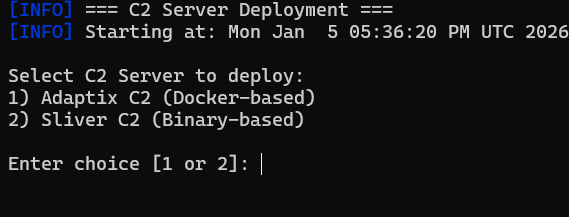
Figure 1 illustrates the available deployment options supported by the tool.
C2 Selection and Infrastructure Provisioning
For this PoC, we selected Adaptix C2 due to its GUI, modular design, and familiarity. This also allows the focus to remain on infrastructure automation rather than C2 internals.
Infrastructure provisioning is handled using Terraform.
Figure 2 shows the Terraform configuration used for deployment.
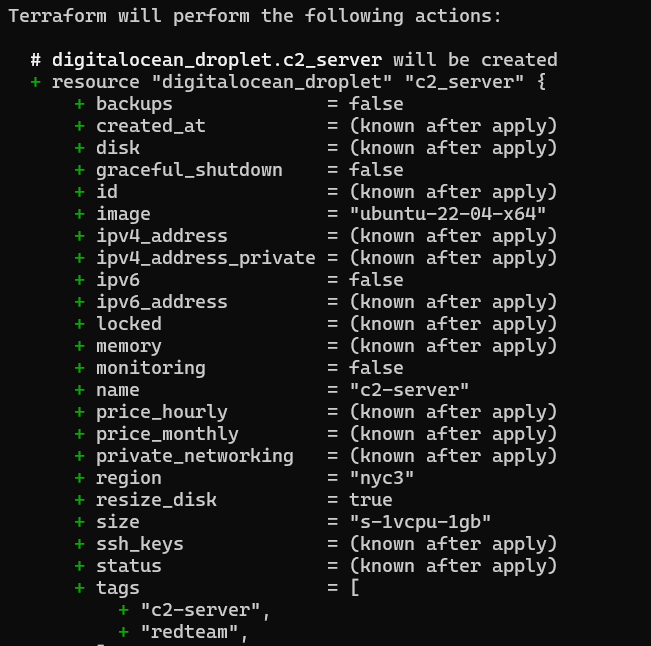
We intentionally keep the VPS specifications minimal. The objective is not performance, but operational sufficiency and disposability.
Figure 3 shows DigitalOcean configured as the provider, along with the deployed C2 VPS.

Terraform handles:
- VPS creation
- SSH key generation
- Secure key-based access
Once the host is provisioned, Ansible takes over for configuration management and software installation.
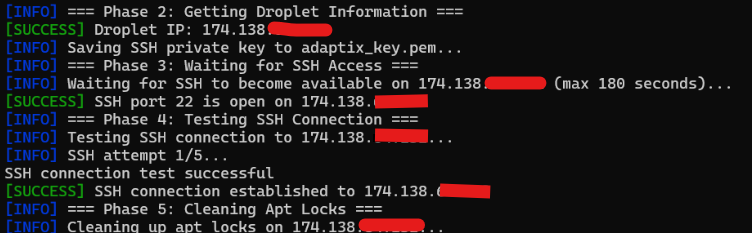
Figure 4 shows Ansible execution in progress.
C2 Installation via Ansible and Docker
To avoid dependency issues and package manager conflicts, Docker is used to deploy Adaptix C2.
This approach:
- Avoids apt lock issues
- Improves consistency across rebuilds
- Simplifies future upgrades or C2 swaps
Where required, small wait intervals are introduced to prevent race conditions during package installation.
Figure 5 confirms that Ansible is present and running on the host.

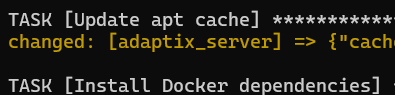
The script proceeds to install Docker on the C2 server
(Figure 6 shows Docker installation in progress).
Adaptix is then built and deployed as a Docker container using a pre-packaged setup hosted in our repository:
https://github.com/anans3-gh/AdaptixC2
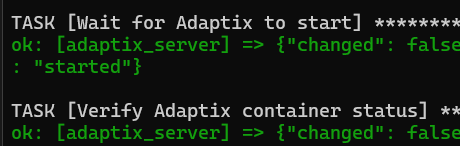
Once complete, the tool verifies that the Adaptix container is running correctly.
Figure 7 confirms successful deployment.
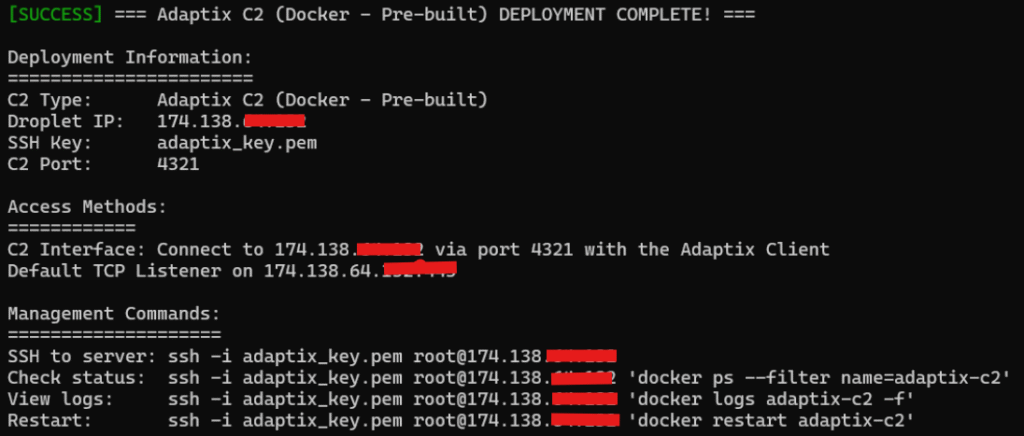
Finally, a deployment summary is provided, including access details for the C2.
Figure 8 shows this summary output.
Deploying the Redirector
Next, we deploy the redirector layer.
For this example, we use the BounceBack redirector, a recently released open-source project:
https://github.com/D00Movenok/BounceBack
The redirector deployment process mirrors that of the C2.
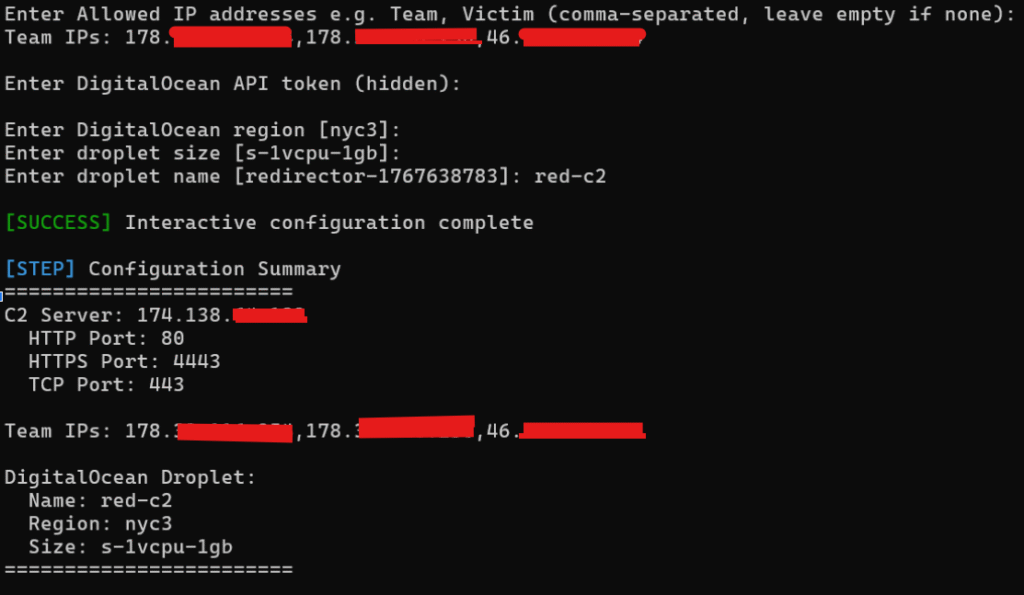
Figure 9 shows the redirector provisioning step.
Ansible is again used for configuration management.
Figure 10 shows the Ansible workflow for the redirector.
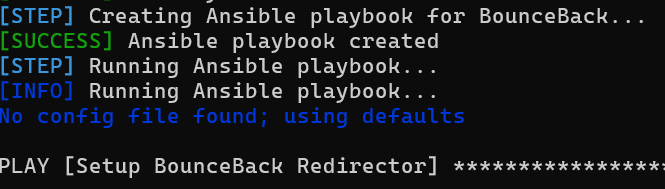
The process includes:
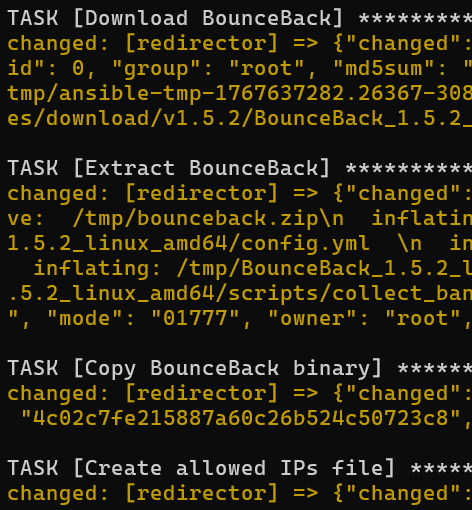
- Downloading and extracting BounceBack
- Creating an allowed IP list using values supplied at deployment time
Figure 11 shows the on-going ansible process
Firewall rules are applied to restrict access strictly to required ports (in this case, 80 and 443).
This is shown in Figure 12.

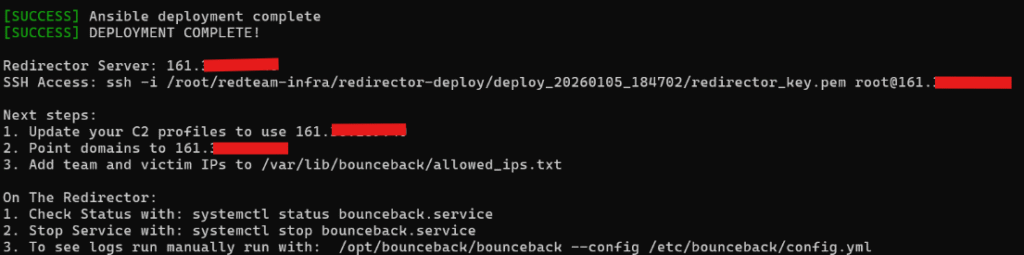
Once complete, the tool provides a redirector deployment summary
(Figure 13).
Validating Redirector Behaviour
We briefly log into the redirector host and use systemctl to confirm that BounceBack is running as a service.
This is shown in Figure 14.

For demonstration purposes, we stop the service and execute the redirector manually.
We inspect the configuration file and observe:
- A defined allowlist file
- Matching rules for allowed IPs
- Traffic directed to the C2 listener on port 443
(in this case, 174.xxx.xxx.xxx)
Figures 15 and 16 show the configuration and rule logic.
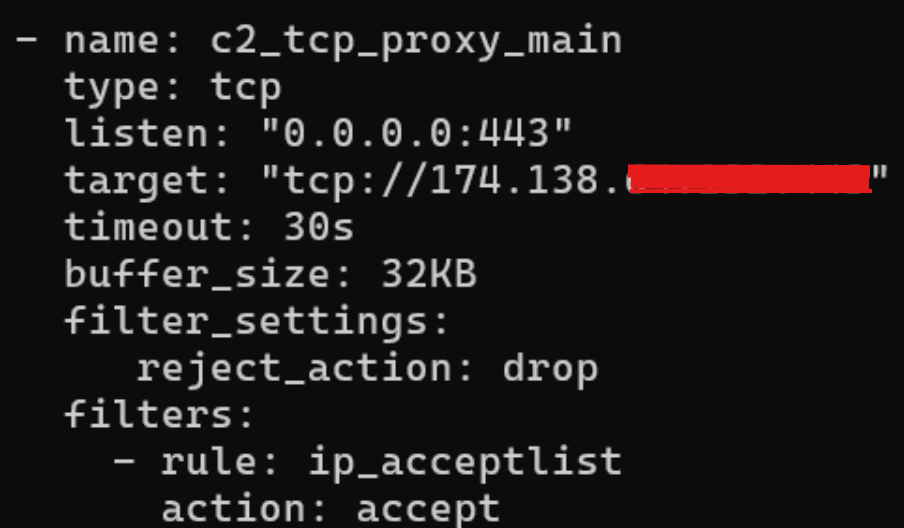
All other traffic is dropped by default.
At this stage, we add the victim (target) IP address to the allowlist to allow an inbound connection.
Listener Configuration and Traffic Flow
Back in Adaptix, we create a listener using the redirector’s IP address.
The key advantage here is flexibility:
multiple redirectors can be configured to handle different beaconing patterns (short-interval, long-haul, etc.) for redundancy and resilience.
These scenarios will be explored in later parts of this series. For now, we proceed with a single redirector.
This is shown in Figure 17.

We then attempt to access the redirector from an IP not in the allowlist using a simple curl request.
Figure 18 shows the request.

As expected, the connection is rejected
(Figure 19).

Agent Execution and Callback
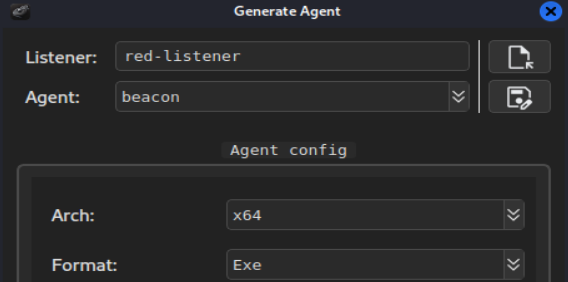
Next, we generate an agent configured to call back through the redirector and execute it on the victim system (which is now allowlisted).
Figure 20 shows the agent configuration.
This time, the redirector rules permit the connection.
Figure 21 confirms successful traffic forwarding.

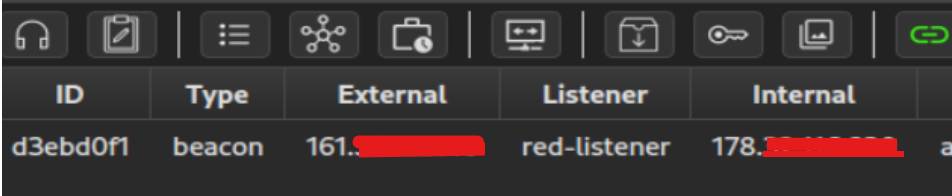
Back on the C2 server, we observe an active shell.
Figure 22 confirms this.
From a network perspective, outbound connections from the victim only show traffic to the redirector, effectively masking the C2 from basic inspection.
This is shown in Figure 23.

Resilience, Redundancy, and Recovery
By introducing redundancy (such as additional redirectors or long-haul agents that beacon infrequently) we improve survivability even when infrastructure is partially burned.
If required, the entire infrastructure can be disposed of quickly.
In this PoC, teardown is fully scripted.
Figure 24 shows the teardown process.

Alternatively, the cloud provider’s control panel can be used for manual teardown if necessary.
Takeaways for Security Engineers
From a defensive perspective, this highlights a key reality:
Masking attacker infrastructure is neither complex nor expensive.
Attackers can rapidly deploy, rotate, and rebuild infrastructure with minimal effort.
Detecting and attributing malicious activity therefore requires going beyond basic IP-based or static infrastructure indicators.
This concludes Part 1 of Automating Red Team Infrastructure for Agility.
In the next part, we will introduce more robust redirector rules, additional evasion techniques, and more resilient infrastructure patterns.